 Clariko
Understand school life in a new language
Photograph a homework assignment, a note from the teacher, or a school announcement — Clariko translates it, explains what it actually means, and shows you exactly what needs to happen next.
Free to start · No credit card required

How it works
Three steps between a confusing document and a clear answer.

Photograph the document
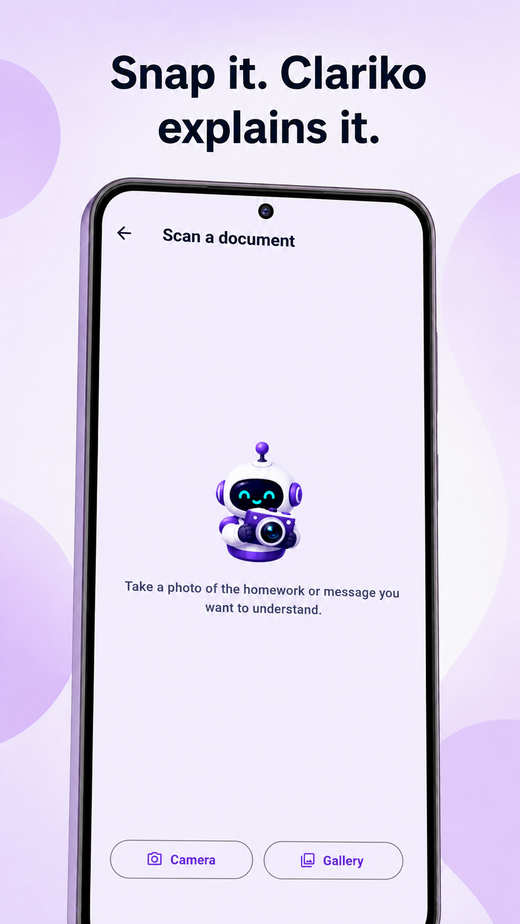
Open Clariko and photograph the document, or choose one from your gallery.

Clariko reads and explains
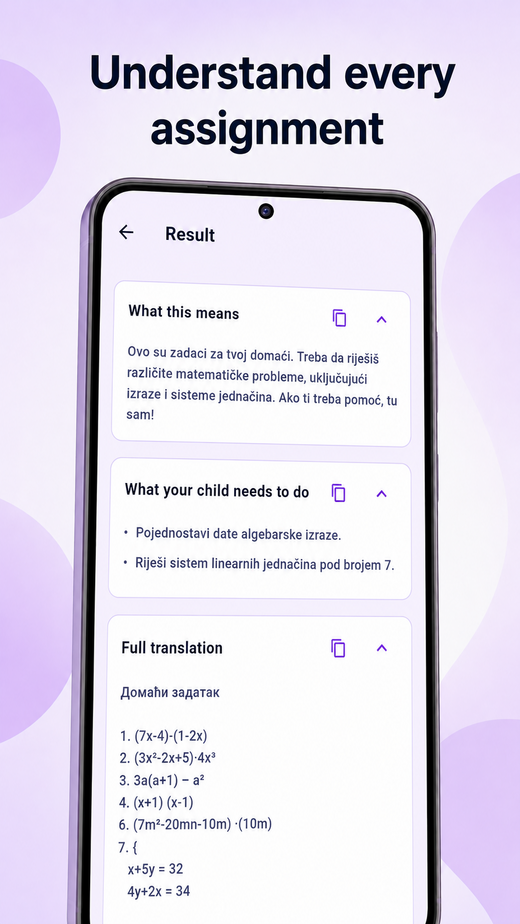
It prepares a translation, a plain-language explanation, and the next steps.

Review and reply with confidence
Save useful words to your vocabulary list and reply to the teacher with confidence.
What Clariko shows you
Every scan is broken down into the parts that actually help.
Full translation
The complete document, translated into your language.
What this means
A plain-language explanation, not just a literal translation.
What your child needs to do
Clear, step-by-step guidance for the actual task.
Example answer
An example at the expected level, so you know what a good response looks like.
Vocabulary, saved
Key words are saved automatically so you can review them later.
Ready-to-send replies
For messages from the teacher: the required action, plus reply suggestions.
See it in your hands
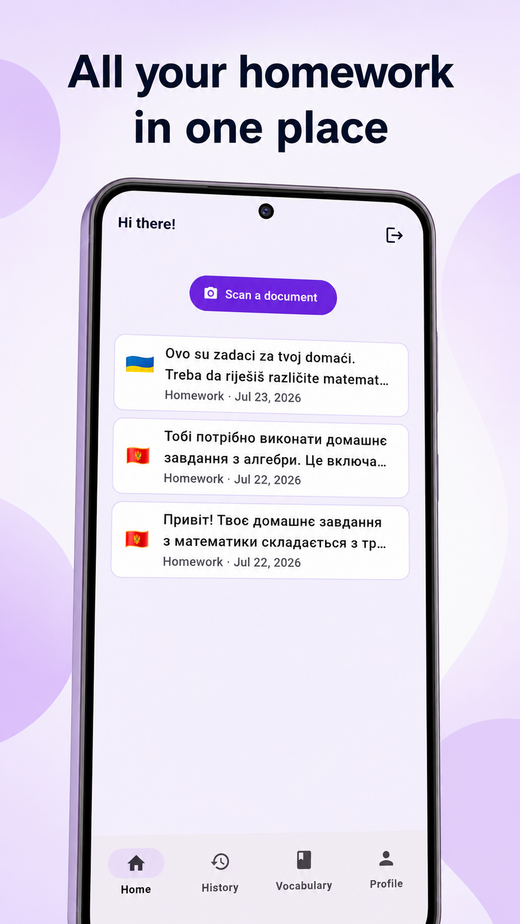
Scan, understand, and keep a history of everything.
Who it's for
Languages
Use the app itself in English, Ukrainian, Russian, or Serbian. Translate school content in any of 7 languages, including Croatian, Bosnian, and Montenegrin.
Ready to understand your child's next assignment?
Clariko includes a limited number of free scans every month, with a much higher monthly limit on Premium.
Get it on Google Play